
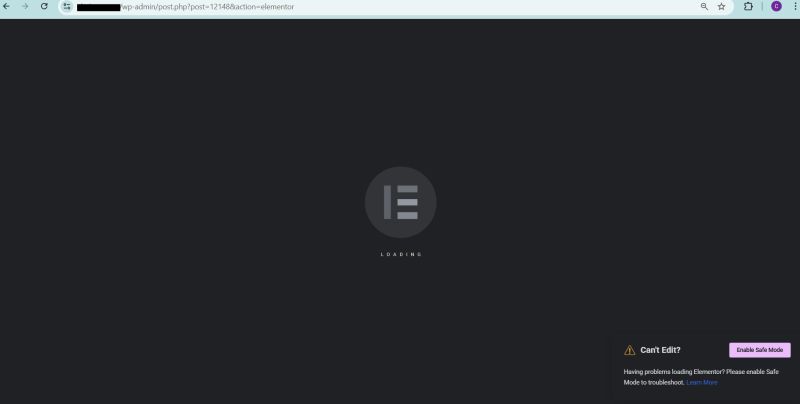
If your Elementor editor is stuck on “Loading” and the preview URL?elementor-preview=POST_ID redirects to the homepage, this is not an Elementor issue.
This is a WordPress routing, rewrite, or server-level configuration problem.
This issue commonly appears on production websites where security plugins, caching layers, or server redirects are active. Elementor only exposes the problem, it does not create it.
This article explains why this happens, how to confirm the real cause, and how to fix it properly.
How Elementor Editor Gets Stuck on Loading
When you click Edit with Elementor, the editor does not load the page directly.
Instead, it follows this flow:
- Elementor generates a preview URL using
?elementor-preview=POST_ID - That URL is loaded inside an iframe
- The editor communicates with WordPress using REST API and AJAX calls
If WordPress cannot resolve the preview URL correctly, the iframe fails to load and the Elementor editor stays stuck on “Loading”.
This is why preview URL behavior is critical.
Test When Elementor Preview Redirects to Homepage
Open this URL directly in your browser:
https://yourdomain.com/?elementor-preview=POST_ID
If this URL redirects to the homepage, WordPress routing is broken for preview requests.
At this point, reinstalling Elementor, switching themes, or disabling random plugins will not help.
Common Reasons Elementor Preview Redirects to Homepage
1. Elementor Editor Stuck on Loading Due to Broken Permalinks
This is the most common and easiest-to-fix cause.
When WordPress rewrite rules are corrupted or outdated, preview URLs fail silently and redirect to /.
Fix
- Go to Settings → Permalinks
- Click Save Changes without modifying anything
This flushes rewrite rules and often fixes the issue instantly.
2. Security Plugins Blocking Elementor Preview URLs
Many WordPress security plugins block unknown query parameters by default.
The elementor-preview parameter is frequently flagged as suspicious.
This is common with firewall rules, brute force protection, and query string sanitizers.
Fix
- Temporarily disable the security plugin
- Test the preview URL again
- If it works, whitelist:
elementor-preview- REST API endpoints
admin-ajax.php
Do not leave security disabled. Fix the rules properly.
3. Server or Hosting Redirect Rules
On managed or production hosting, server-level redirects are common.
These include:
- Redirecting unknown query strings to homepage
- Aggressive canonical redirects
- Cache layers stripping query parameters
These rules break Elementor preview loading.
Check
.htaccessrules (Apache)- NGINX or LiteSpeed configuration
- Hosting control panel redirects
- Cache plugin settings
If query strings are being stripped or redirected, Elementor preview will never load.
4. REST API or mod_security Blocking Requests
The Elementor editor depends heavily on the WordPress REST API.
If the REST API is blocked or redirected, the editor cannot function.
Test
Open this URL in your browser:
https://yourdomain.com/wp-json/
You should see JSON output.
If it redirects or throws a security error, REST API access is blocked.
Fix
- Ask your host to relax
mod_security - Whitelist REST API endpoints
- Remove server-level request filtering for WordPress APIs
5. HTTP / HTTPS or www / non-www Mismatch
This issue often goes unnoticed.
If your site URL, home URL, and server redirects are not aligned, preview URLs break.
Fix
- Go to Settings → General
- Ensure WordPress Address and Site Address match exactly
- Confirm protocol consistency (HTTP vs HTTPS)
- Align www or non-www with server rules
Clear cache after making changes.
Why Elementor Editor Stuck on Loading Is Not an Elementor Bug
Elementor does not control:
- WordPress rewrite rules
- Hosting-level redirects
- Security firewalls
- REST API access
- Cache behavior
Elementor only asks WordPress to load a preview URL.
If WordPress fails, the editor cannot load.
The “Elementor editor stuck on loading” message is a symptom, not the cause.
Fast Troubleshooting Checklist
If you want to resolve this quickly on a live website, follow this order:
- Flush permalinks
- Disable security plugin temporarily
- Disable cache plugin temporarily
- Test preview URL directly
- Test REST API (
/wp-json/) - Review server redirect rules
One of these will expose the root cause every time.
How to Get Help
If you want this diagnosed and fixed properly, you can hire me to take care of it.
👉 Book a WordPress troubleshooting session
I work directly on the root cause, not symptoms.
For larger or ongoing WordPress and infrastructure work, you can also explore my agency:
Kartgen Infotech LLP – https://kartgen.in
We help startups and growing businesses stabilize, secure, and scale WordPress on production servers.
To conclude
If Elementor preview URLs redirect to the homepage, stop wasting time reinstalling plugins or switching themes.
This is a WordPress routing and server configuration issue, and once fixed correctly, Elementor loads instantly.
Fix the foundation and the editor works as expected.